
Assay Build & Fix · in your Assay workspace
From a request, or a finding, to a flow you can import.
Describe a workflow in a sentence and Assay builds it. Or give it an export, tick the findings you want fixed, and get the export back with them fixed. Every result is checked against the same rules as an Assay assessment before you download it, and nothing changes in Okta until you import it.
Part of the Build, Workspace and Enterprise plans. Charged in credits; prices on request.
Ask, or choose
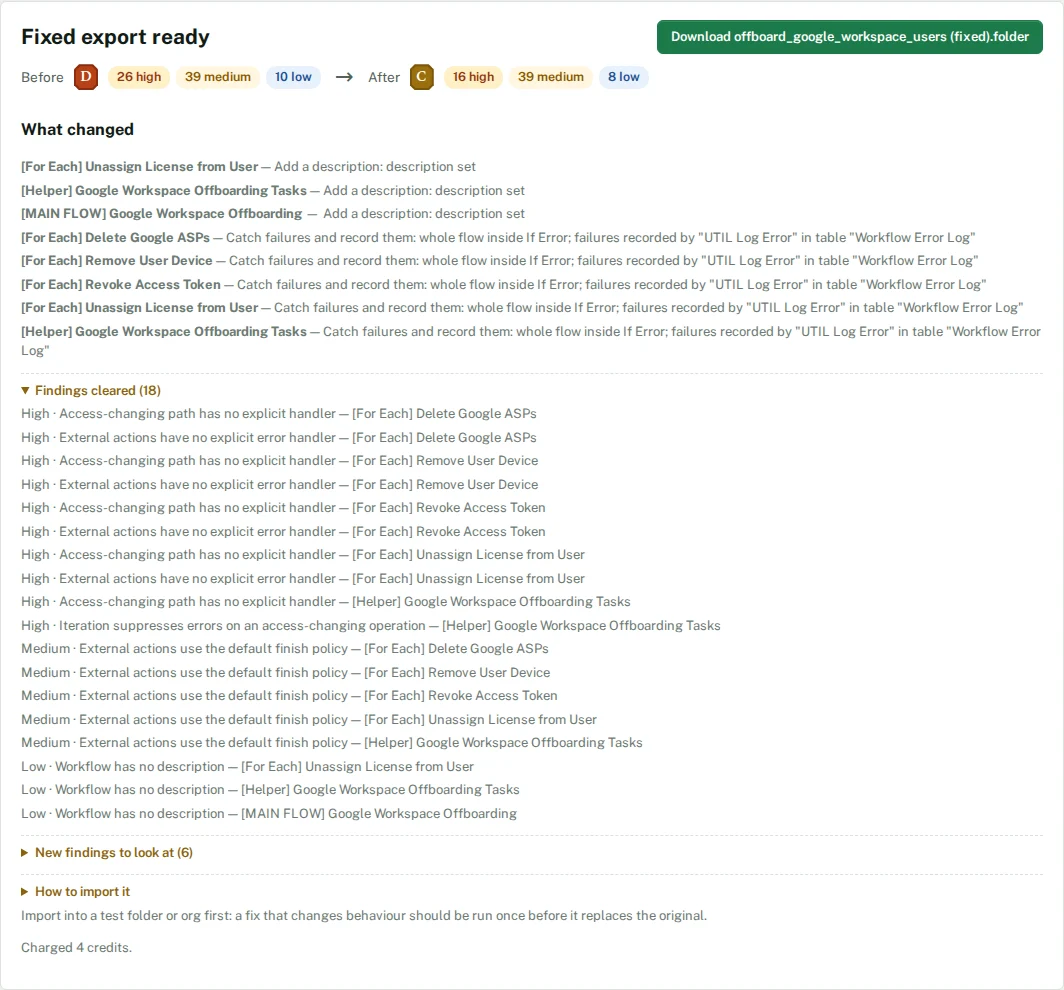
Say what the workflow should do, or choose an export. Assay lists what it can fix by itself, finding by finding, and marks the fixes that change what a flow does when it runs.
Assay builds and checks
The flows are built or fixed, checked against Okta’s import format, then assessed by the same engine as a full assessment: grade before and after, findings cleared and findings introduced.
You import it
Download the folder export and import it with the console’s own Import. Enterprise teams can push new flows into the open folder with Lens instead.
Fix an export
The findings, fixed. Your export, back.
Fixes run on Assay’s own rules, not a language model, so the same export and the same choices give the same result every time.
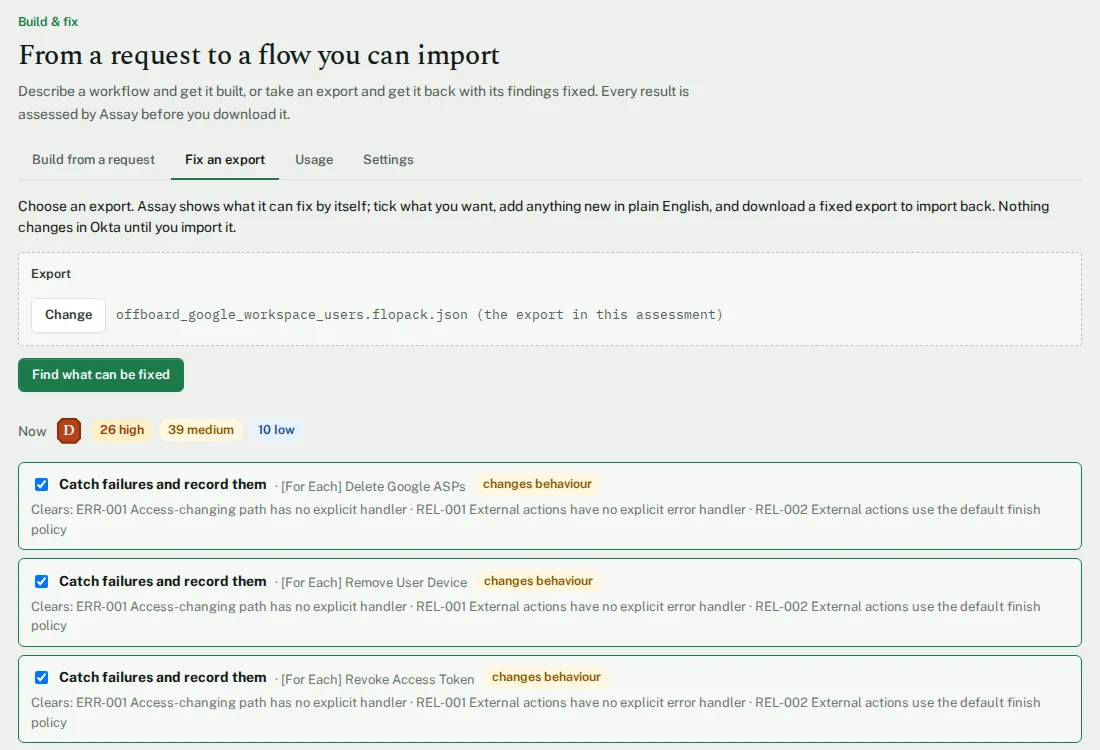
Catch failures and record them
Puts the flow inside an If Error card. A failure is written to an error-log table by a small helper flow, instead of stopping the run half-done. Clears the unhandled-failure findings, and is marked as changing behaviour.
Add a description
Drafts a description from Assay’s own reading of the flow, for you to edit before it is written in.
Turn execution history on
Switches on the flow’s execution history, so a failure leaves something to read afterwards.
Limit how many rows a search returns
Caps an unbounded table search at the number you give.
Ask in plain English
“Make every flow that calls Okta record its failures, and describe the undocumented ones” becomes the fixes above, ticked for you, with anything they cannot do said plainly.
Add new flows
Describe flows to add to the same folder; they are built and merged into the export you get back.
Build from a request
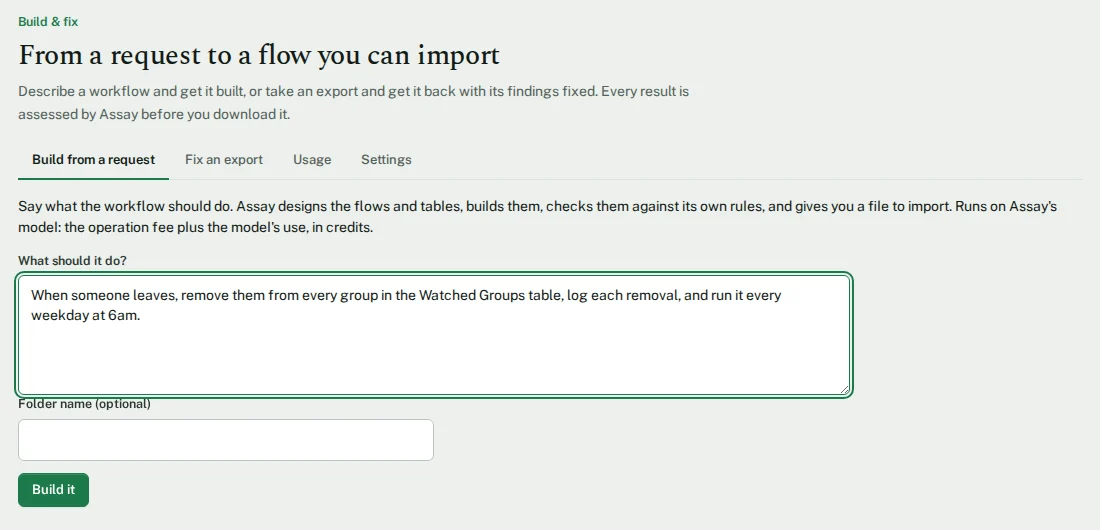
Describe it. Get the flows.
Scheduled or called
Flows that run on a schedule, and helper flows that other flows call, with their inputs and outputs.
The cards you would use
Okta user and group cards and API calls, tables, branches, loops, lists, text and dates, and calls between flows.
Error handling included
Each flow is built inside an If Error card that records the failure in a table, unless you ask for it without.
Graded like any other flow
A built flow is assessed with the same controls as everything else, and the result is shown before you download it.
Your model or ours
Two ways to run it.
Assay’s model
Nothing to set up. Charged in credits: an operation fee, plus the model’s use.
Your own model
Any paid plan can connect its own model. You pay the operation fee only; your provider bills the model.
Fixes need no model
Fixing an export uses Assay’s rules and is charged as a flat operation. A model is used only to build flows and to turn a sentence into fixes.
Usage you can see
Every operation and its credits are listed in the workspace, month by month.
What changes in Okta
Nothing, until you import it.
A file, not a login
Build & Fix hands you a folder export. Assay does not connect to your tenant to deliver it.
Test it first
Import into a test folder or org first. A fix marked as changing behaviour should run once before it replaces the original.
Push, for Enterprise
Lens can push built flows into the folder open in the Workflows console, using the console’s own save, in your session. It checks first and creates nothing if a table or connection is missing. It creates new flows only, and never switches one on.
Where the data goes
The request, and for a fix the export, go from your workspace to Assay’s build service, and to the model when one is used. Exports are processed in memory and not kept. Details in the privacy policy.
Fix what the report finds.
Build & Fix is in the Build, Workspace and Enterprise plans. Ask for a trial on your own export.