Assay Lens · Chrome extension
The findings, on the card, while you build.
Lens brings Assay into the Okta Workflows designer. Open a flow and the cards that have a finding are marked, with what is wrong, what it leads to, and a better way to build it. It reads the flow on your screen and never changes anything in Okta.
Included with the Workspace plan. Lens needs a key from an Assay workspace, so it is installed from there: sign in, open Lens, download it and create a key. A Chrome Web Store listing is on the way.
Open a flow
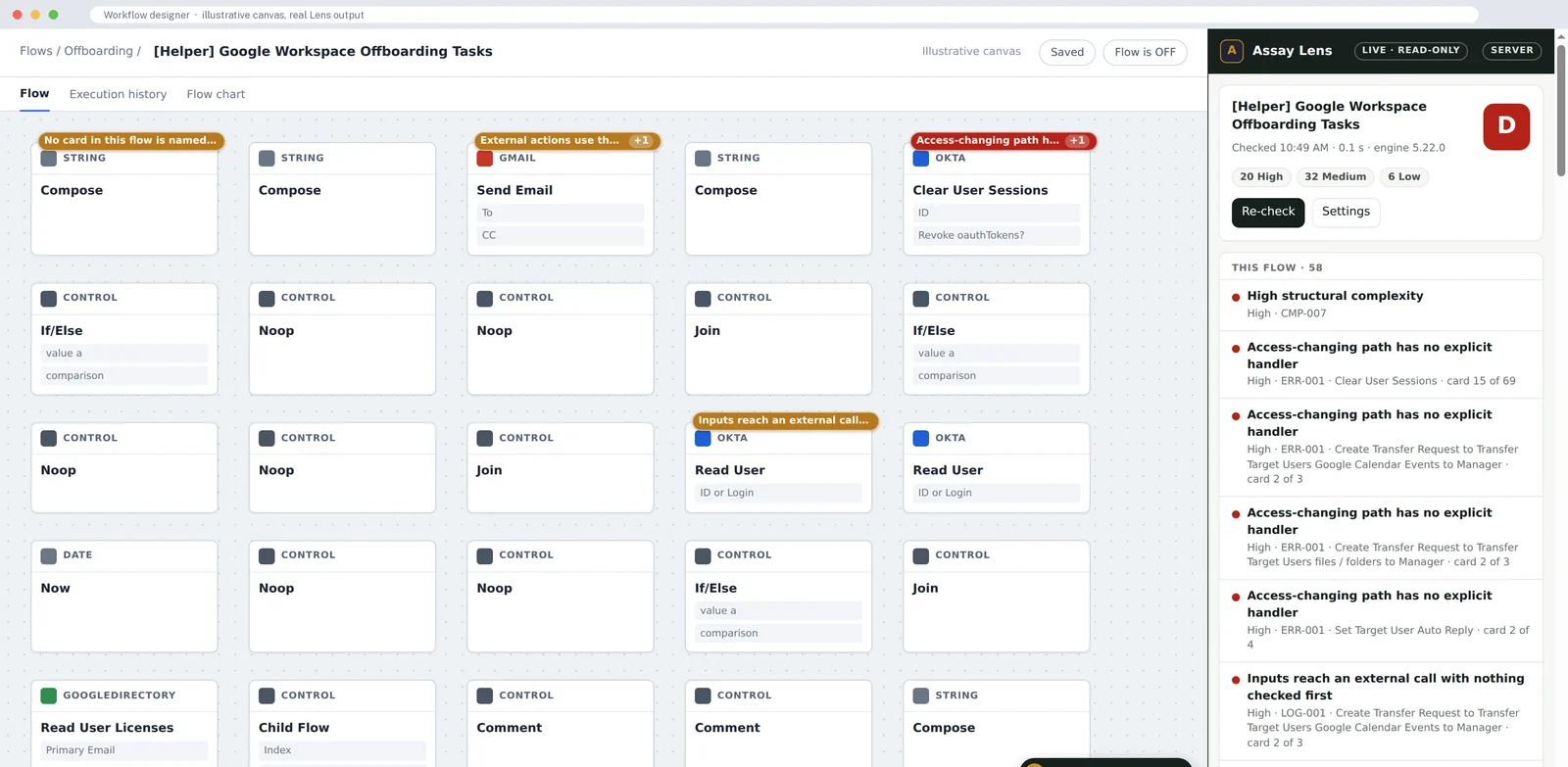
Lens starts when the designer loads a flow. It reads that flow and the helper flows it calls, as the designer already has them. Nothing is typed into Okta and nothing is saved.
See it on the cards
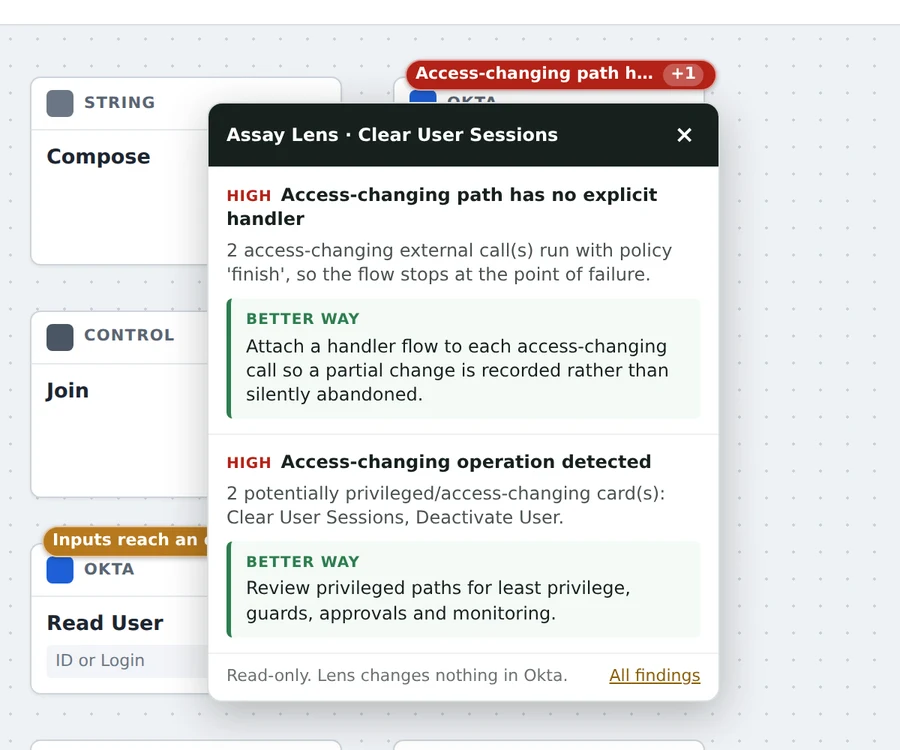
Cards with a finding carry a badge. Click one for the finding, what it leads to if it is left, and the fix, in the cards Okta names.
Save, and it checks again
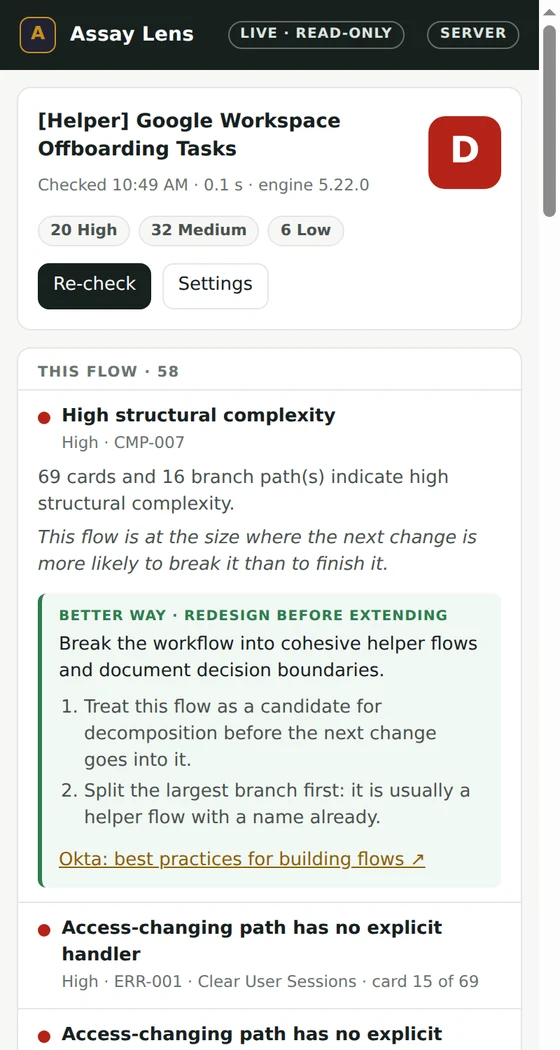
Change the flow and save; Lens checks it again. The side panel keeps the grade and every finding, this flow first and then its helpers.
Up close
What a builder sees.
What it checks
The same engine as the full assessment.
Failure paths
Calls that can fail with nothing catching them, and access changes that would be left half-made when a later step fails.
Unchecked results
A search or lookup whose result is used without checking it found anything, and If/Else paths that end without doing anything.
Hard-coded values
Okta ids, endpoints and addresses written into cards, which stop a flow moving cleanly from sandbox to production.
Your naming standard
Flow and card names checked against the standard your workspace sets, so a reviewer can read the flow top to bottom.
Read-only, by design
It looks. It never touches.
No writes to Okta
Lens never saves, runs, turns on or edits a flow, and never opens connections or credentials. It watches what the designer page loads.
Checks on your server
The open flow goes to your Assay workspace, is assessed in memory and is not kept. For teams that need nothing to leave the browser, the enterprise edition can run the checks locally.
A key per browser
Each browser connects with its own key. Assay keeps only a hash of it, and a revoked key stops that browser at once.
Signed, issued rules
In the enterprise edition the rules arrive signed, issued to one key and valid for a week. Lens refuses a pack that has expired or belongs to another key.
Build it right the first time.
Lens comes with an Assay Workspace. See the full assessment on the live demo, or ask for a trial for your builders.